How I Use Cursor to Plan and Ship
How I use Cursor's planning tool and Composer to build production apps with testable deliverables and proper sequencing.
Tech leads have always thought about sequencing: identifying critical paths, managing blockers, and isolating tasks. With AI, a new question emerges: What can I safely delegate?
Here is how I’ve adapted my tech lead mental model to orchestrate a high-velocity AI workflow.
Quick Note: I’ll be referencing my preset rules throughout this post. If you want the full context on how those work, check out my previous post on how I set up Cursor rules.
Breaking Down Work Into Agent-Appropriate Tasks
Before writing code, I use Cursor’s planning tools to map out the architecture. The key is avoiding the “Oprah-voice” approach (Backend gets an agent! Frontend gets an agent!). Instead, I think in terms of testable deliverables.
I look for two things:
- Linear dependencies: Tasks that must be completed before the next can begin.
- Parallel tracks: Non-blocking tasks I can delegate to a separate Composer session.
For example, when building RecipeCast’s Chrome extension authentication, I used the planning tool to identify “non-blocking” UI components. While I wrestled with the backend logic, I had an agent build out the isolated UI pieces in a parallel track.
A rough overview of what my plan looked like:
- Database schema changes (must happen first, can test migration in isolation)
- Backend token generation (depends on schema, can test API in Postman)
- CORS configuration (can verify with curl before touching frontend)
- Extension OAuth flow (can test with hardcoded tokens before real backend)
- Integration testing (everything wired together)
- Production deployment sequence
I can verify the database migration worked, test the API endpoint returns valid tokens, confirm CORS headers are correct, etc. By the time I’m on #5, I’ve already validated each piece in isolation.
The Devil’s Advocate
Once a plan exists, I force the AI to challenge me:
Analyze this plan for gaps and unintended consequences. What am I missing? What could go wrong?
For the authentication plan, Cursor flagged:
- What happens to existing users who are already logged in when you deploy the schema changes?
- Your rollback strategy assumes database migrations are reversible. Task 1.2 adds a non-nullable column without a default value.
- The extension OAuth flow task doesn’t mention token refresh. Users will need to re-authenticate every hour.
As a solo engineer, having the AI act as a “rubber ducky” catches edge cases before they become production incidents.
Committing Plans to the Codebase
I commit .cursor/plans/ to my personal projects. These aren’t throwaway notes; they are markdown documents that stay in the repo to provide context across sessions and help inform documentation changes later.
Each plan file is a markdown document that includes:
- Sequencing and dependencies
- Acceptance criteria and verification checklists
- Any documentation needing updating
When I’m ready to execute, I reference the plan file directly in Composer: “Execute task 2.2 from .cursor/plans/external-auth.md.” Once a task is verified, I have the agent update the markdown file to mark it complete. This makes it incredibly easy to pick up a project after a few days away.
Efficiency Hacks: Multiple Choice by Default
I’ve configured Cursor to avoid open-ended questions. Instead of asking “How should we handle pagination?”, it provides a menu:
How should we handle pagination for collection?
- Cursor-based (better for real-time updates)
- Offset-based (simpler implementation)
- Load all at once (fine for MVP, paginate later)
I just type “B,” add any additional context, and we keep moving.
What This Actually Looks Like
Step 1: Create the plan and save to workspace
I tell Cursor in plan mode:
Create a plan for implementing external client authentication. Think about sequencing so I can test deliverables one by one, and clearly identify which tracks can be worked on in parallel to minimize downtime.
Make sure to press the “Save to workspace” button in order to persist the plan to your codebase.
Step 2: Devil’s advocate
Analyze this plan for gaps and unintended consequences.
Cursor points out edge cases, rollback considerations, and missing tasks. I have Cursor update the plan.
Step 3: Execute sequentially and in parallel where appropriate
I tell Composer:
Execute task 2.1 from
.cursor/plans/external-auth.md
It implements the token generation endpoint. I test it in Postman with mock data, verify the JWT is signed correctly, commit.
Each task produces something I can verify before moving to the next one.
Step 4: Update the plan
After confirming a task is tested and working, I tell Cursor:
Update the plan to mark task 2.1 as complete.
This keeps the plan current and makes it easy to pick up where I left off.
Step 5: Verification
Cursor tells me what to test based on my rules:
Verification checklist:
- Test token generation with valid user ID
- Test token refresh flow
- Verify CORS headers in browser devtools
- Test extension auth flow end-to-end
- Check token expiration handling
Potential side effects to check:
- Existing user sessions (web app login should still work)
- Password reset flow (might need to revoke external tokens)
- Account deletion (cascade delete for external sessions)
The Confidence Factor
The biggest shift for me wasn’t speed. It was confidence.
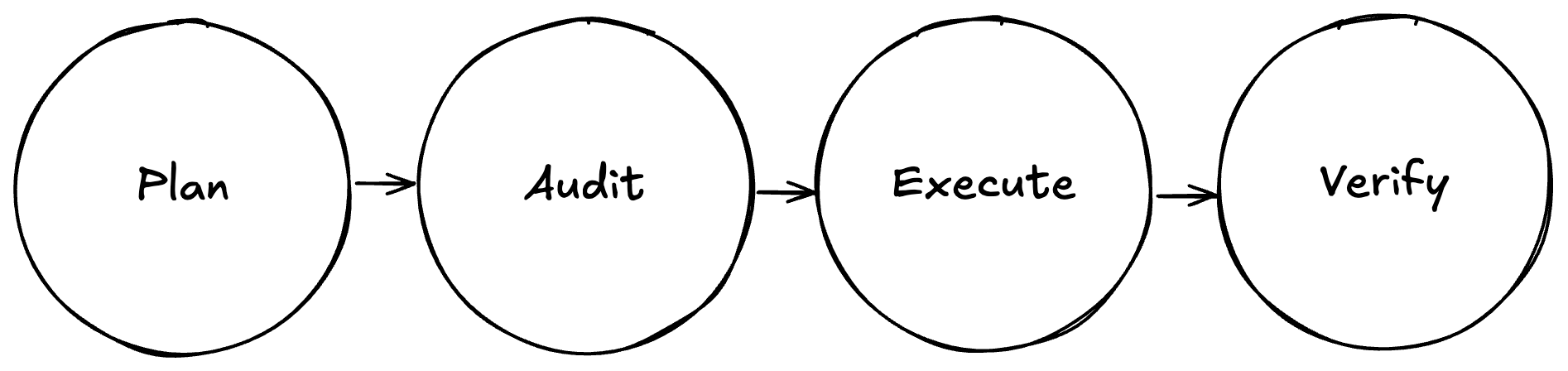
Before using AI this way, I would hesitate before touching infrastructure or backend services I wasn’t deeply familiar with. Using this “Plan-Audit-Execute” loop, I shipped RecipeCast’s auth system and Python endpoints to production despite it being my first time writing production-grade Python.
The AI helped me understand the tradeoffs at each step. It asked questions about edge cases I hadn’t considered. It flagged when my approach had security implications.
I’m not blindly accepting AI suggestions. I’m using AI to explain the landscape so I can make informed decisions.
When to Override the AI
Like any good tech lead, you must:
- Review the approach before committing to it
- Push back when the suggested solution doesn’t fit
- Recognize when the AI is confidently wrong (oftentimes AI might reference an older library than the version you are using)
You’ll start noticing patterns. You’ll get better at knowing which tasks are “agent-appropriate” and which need more human oversight.
While this post specifically refers to Cursor, I imagine a similar workflow should work with Claude Code, Google Gemini, Kilo, etc.
And if you’re working on a project and need some help, I’m taking on new clients. Reach out on bear.ink.