Your CI Is Running Tests on Old Code: How to Auto-Cancel GitHub Actions
Pushing multiple commits quickly? You're probably paying for 3-4 parallel test runs testing outdated code.
Here’s a scenario you’ve probably experienced: You push a commit to your pull request and GitHub Actions starts running your tests. Two minutes later, you spot a typo and push another commit. Now you have two test runs executing in parallel—one testing code you’ve already replaced.
By default, GitHub Actions doesn’t cancel old runs when you push new commits. If you’re iterating quickly during development, you might have 3-4 runs stacking up, all testing outdated code. You’re paying for all of them.
The Fix: Three Lines of YAML
Add this to the top of your workflow file, right after the on: section:
name: Tests
on:
pull_request:
# Add these 3 lines:
concurrency:
group: ${ { github.workflow } } -${ { github.event.pull_request.number || github.ref } }
cancel-in-progress: true
jobs:
test:
# ... your existing jobs
What This Does
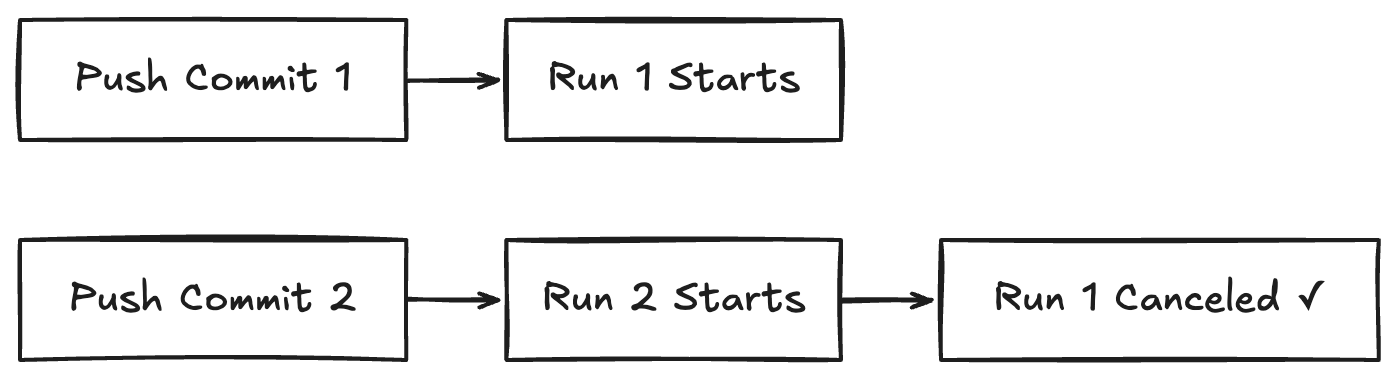
The concurrency configuration creates a group for your workflow runs. When a new commit arrives:
- GitHub checks if another run is already in progress for this PR
- If yes, it cancels the old run
- Only the most recent run continues
Why the group Key Looks Like That
group: ${ { github.workflow } } -${ { github.event.pull_request.number || github.ref } }
This creates a unique group for each PR by combining:
- The workflow name (so different workflows don’t interfere with each other)
- The PR number (or branch name as a fallback for non-PR triggers)
Time = Money
Before adding this, I could have 3-4 test runs executing in parallel during active development. Each run took ~10-15 minutes. That’s ~45 minutes of Actions time where only the last 15 minutes actually mattered.
After adding concurrency cancelation: only one run at a time. Immediate savings.
When You Shouldn’t Use This
There are a few cases where you might not want automatic cancelation:
- Deploy workflows: If you’re deploying to production, you probably want every commit to deploy sequentially, not cancel previous deploys
- Scheduled workflows: Nightly jobs or cron tasks should run independently
- Workflows that create artifacts you need: If each run produces something you want to keep, cancelation might end up removing a needed artifact in the process.
Copy-Paste Template
name: Tests
on:
pull_request:
concurrency:
group: ${{ github.workflow }}-${{ github.event.pull_request.number || github.ref }}
cancel-in-progress: true
jobs:
test:
runs-on: ubuntu-latest
steps:
- name: Run tests
uses: actions/checkout@v4
run: npm test
This is the easiest GitHub Actions optimization you can make. Three lines of configuration, zero complexity, immediate savings on your GitHub Actions bill.